Skip to Content
Cables | SKU: 048008014

Hoymiles HMS Disconnect Tool

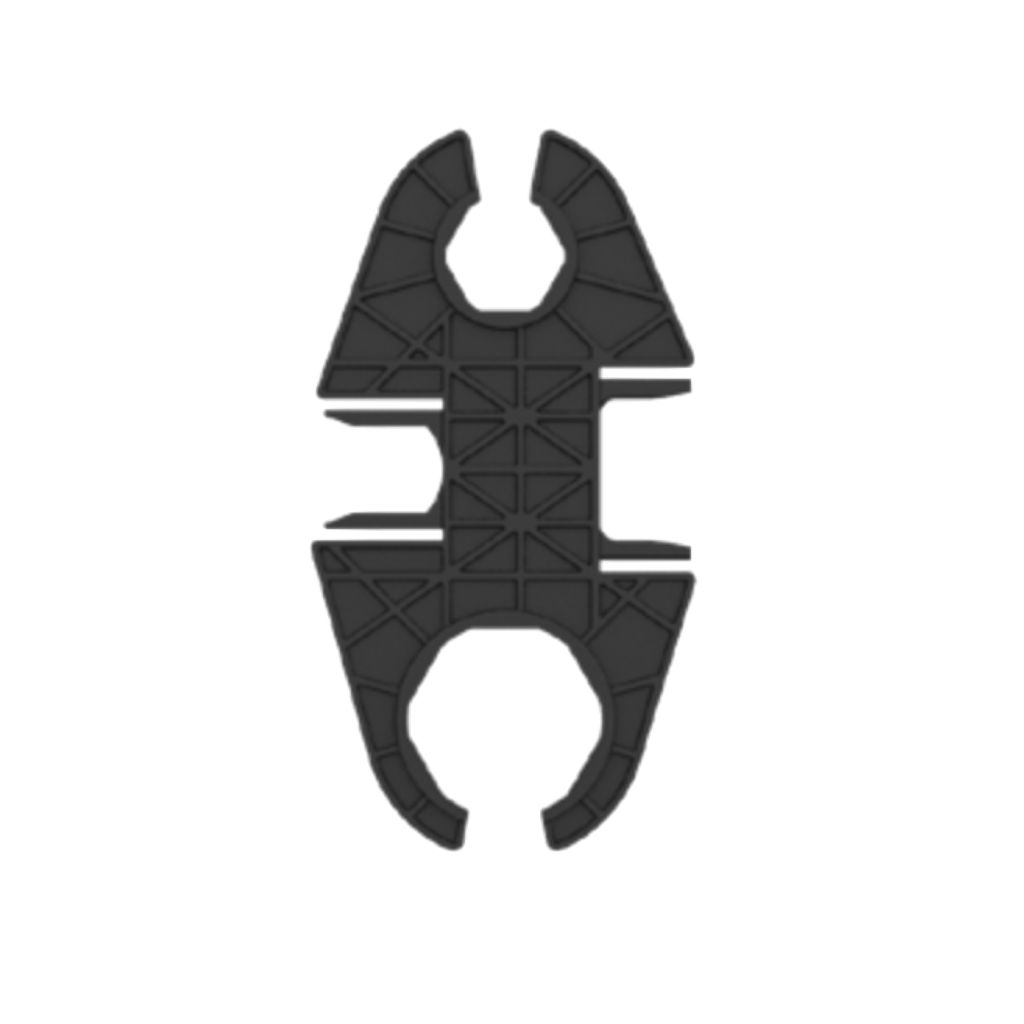
The Hoymiles HMS Disconnect Tool is a multifunctional installation and maintenance tool designed for Hoymiles HMS Series microinverter systems. It can be used to take apart HMS connectors as well as tighten and loosen connector nuts, making installation, removal and maintenance work more convenient. During microinverter replacement or system maintenance, the tool can be used to disconnect AC and DC connections, helping installers perform connector operations efficiently on site. To disconnect a connector, align the notches of the HMS Disconnect Tool with the released tabs on the connector, squeeze the tool firmly to apply pressure to the release tabs, and then gently pull the connectors apart. Its compact design makes it convenient to carry with other installation tools. The tool can be used together with HMS Trunk Connectors, HMS Connection Cables, HMS Extension Connectors and other compatible HMS accessories for photovoltaic system installation and maintenance.
Available by quotation
Estimated lead time:on request
Technical product advice B2B project support Individual quotation
0.00 € 0.00 €
 Terms and Conditions 
30-day money-back guarantee
Shipping: 2-3 Business Days

Product information

The Hoymiles HMS Disconnect Tool is a multifunctional installation and maintenance tool designed for Hoymiles HMS Series microinverter systems. It can be used to take apart HMS connectors as well as tighten and loosen connector nuts, making installation, removal and maintenance work more convenient. During microinverter replacement or system maintenance, the tool can be used to disconnect AC and DC connections, helping installers perform connector operations efficiently on site. To disconnect a connector, align the notches of the HMS Disconnect Tool with the released tabs on the connector, squeeze the tool firmly to apply pressure to the release tabs, and then gently pull the connectors apart. Its compact design makes it convenient to carry with other installation tools. The tool can be used together with HMS Trunk Connectors, HMS Connection Cables, HMS Extension Connectors and other compatible HMS accessories for photovoltaic system installation and maintenance.
Hoymiles Power Electronics B.V.
High Tech Campus 9, Unit BK3.28
5656AE Eindhoven , Netherlands
WEEE-Reg.-Nr.: DE77823772

Product consultation

Discuss compatibility, system sizing and application requirements with our team.

Contact the team

Partner pricing

Apply for a business account and request individual project conditions.

Become a partner

Customer support

Use the support center for service questions after purchase.

Open support
Overview
The Hoymiles HMS Disconnect Tool is a multifunctional installation and maintenance tool designed for Hoymiles HMS Series microinverter systems. It can be used to take apart HMS connectors as well as tighten and loosen connector nuts, making installation, removal and maintenance work more convenient. During microinverter replacement or system maintenance, the tool can be used to disconnect AC and DC connections, helping installers perform connector operations efficiently on site. To disconnect a connector, align the notches of the HMS Disconnect Tool with the released tabs on the connector, squeeze the tool firmly to apply pressure to the release tabs, and then gently pull the connectors apart. Its compact design makes it convenient to carry with other installation tools. The tool can be used together with HMS Trunk Connectors, HMS Connection Cables, HMS Extension Connectors and other compatible HMS accessories for photovoltaic system installation and maintenance.
Technical data
Downloads
GPSR
Hoymiles Power Electronics B.V.
High Tech Campus 9, Unit BK3.28
5656AE Eindhoven , Netherlands
Support

Product consultation

Discuss compatibility, system sizing and application requirements with our team.

Contact the team

Partner pricing

Apply for a business account and request individual project conditions.

Become a partner

Customer support

Use the support center for service questions after purchase.

Open support